Pharma360
Complete Pharmacy ERP System. One platform across desktop, web and mobile. Billing, inventory, expiry tracking, batches, purchases, suppliers and reports, engineered as a complete ERP for pharmacies.
New sale
3 itemsChange a quantity. The total and the stock count follow it.
Today
Sample day- Revenue
- Rs 2,290
- Sales
- 7
- Below reorder
- 2
- Expiring soon
- 5
Demo session. Sample data. Nothing is charged and nothing leaves this page.
One sale, four places
A sale is recorded once. Stock, the batch and the day report read from that same record.
01Sale recorded
Recorded once at the counter.
02Stock deducted
Two units leave the shelf, not a second ledger.
03Batch checked
The same batch and the same expiry date.
04Report updated
Today's revenue includes it, without being retyped.
Scroll to run the sale through the system.
Counter 1 · Walk-in
TotalRs 295
Stock
2/8 below reorderPanadol Extra 500mg8
Expiry
Next 6 monthsBrufen 400mg14 days
Reports
Sample day- Revenue
- Rs 2,585
- Sales
- 8
- Average sale
- Rs 323
- Top item
- Vitamin C 1000mg
- Stock value
- Rs 25,650
RevenueRs 2,585
Demo session. Sample data. Nothing is charged and nothing leaves this page.
Included
Nine modules. All working.
This is the list we sell from, and the list a demonstration opens. Nothing on it is planned.
- 01Inventory managementProduct and stock management for your medicines and items.Working
- 02Sales and billingFast sales processing and billing at the counter.Working
- 03Barcode scanningBarcode based product operations wherever scanners are used.Working
- 04Purchase managementKeep records of what you buy, from whom, and when.Working
- 05ReportingSales and profit reports to monitor business performance.Working
- 06Expiry trackingSee which medicines are close to expiry before they become a loss.Working
- 07Batch trackingManage medicines by batch for reliable stock control.Working
- 08Supplier managementKeep supplier records together with purchase history.Working
- 09Multi user accessAccess for multiple users on your own setup.Working
Where it runs
One record, three clients.
The same database, opened from the counter, the office or a phone.
- 01Desktop app
- The counter machine. Billing, stock and reports on the shop floor.
- 02Web app
- The office view, in a browser, reading the same records.
- 03Mobile app
- Stock checks and the day's position from a phone.
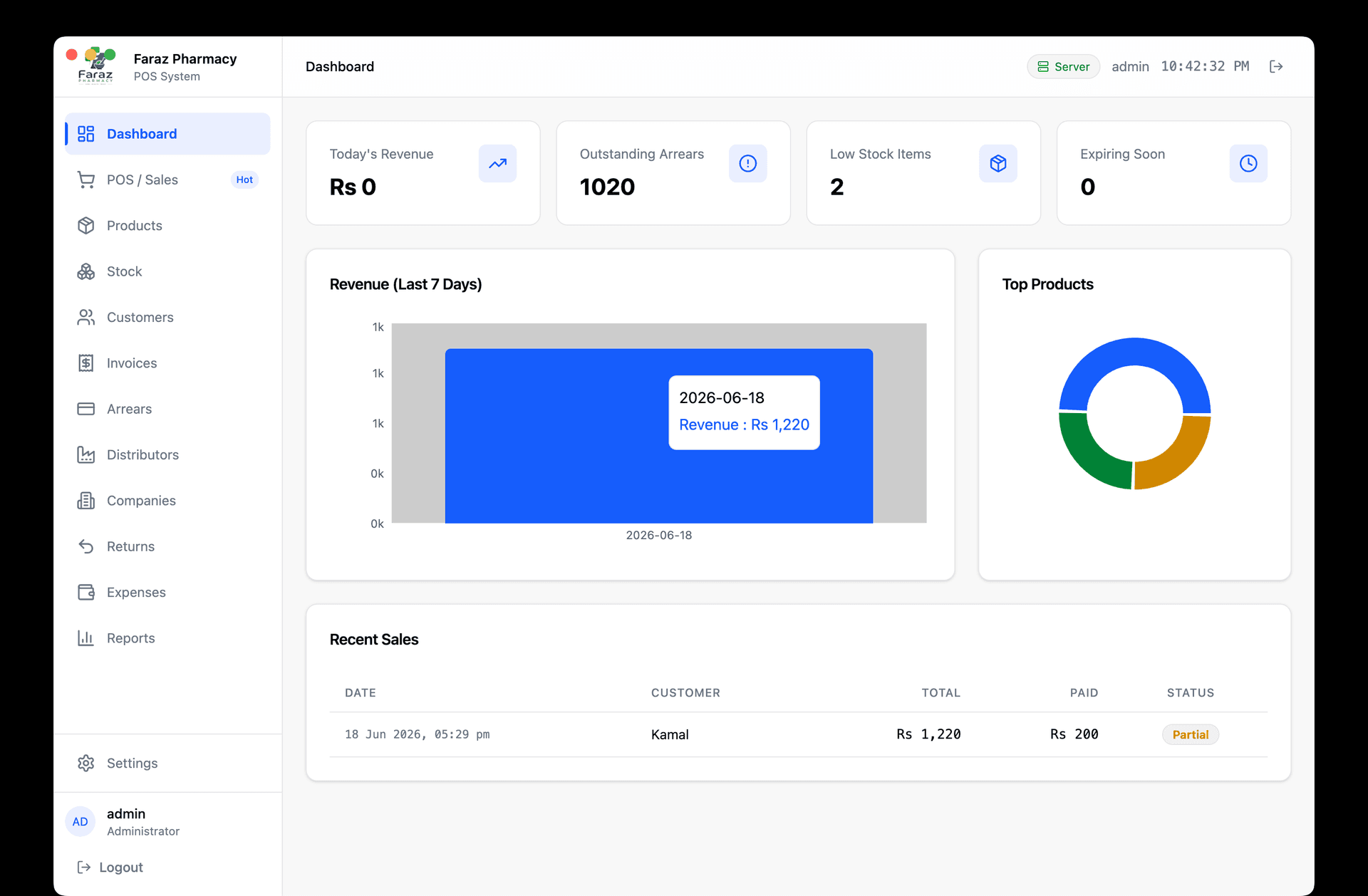
In real use
Running in a pharmacy today.
A complete pharmacy system covering sales, inventory, expiry, suppliers, customer arrears and the reports an owner needs at the end of the day.
Read the case studyEditions
Built for pharmacies. Prepared for other businesses.
One foundation, prepared for other kinds of store. The editions below are planned, not shipped, and they are labelled that way.
- Available now
Pharmacy
Sales, stock, batches, expiry, purchases, suppliers and reports.
- Planned
Retail and grocery
Barcode management, measurement units, stock adjustments, discounts and cash management.
- Planned
Fashion and clothing
Size and colour variations, product variants and stock by variant.
- Planned
Electronics and hardware
Serial number tracking, warranty tracking and product specifications.
First run
From installation to training, every step in writing.
- 01Confirm your requirements
- 02Agree on scope and price
- 03Collect the agreed advance
- 04Prepare your computer and database
- 05Install the software
- 06Configure your business information
- 07Add or import your products
- 08Test billing and reporting
- 09Train you and your employees
- 10Confirm backup procedures
- 11Provide documentation and support contacts
- 12Obtain your acceptance
Start